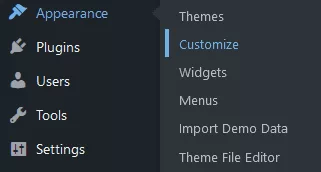
1. In your WP Admin Dashboard, under the “Appearance”, select “Customize”.
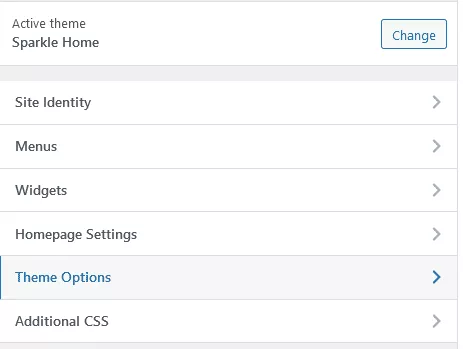
2. Choose “Theme Options” and then “Layout settings”.
3. Find a “Business phone” field and add it there.
4. After you’re done, just click the “Publish” button.
Contact us with your question! We'll be glad to help!